
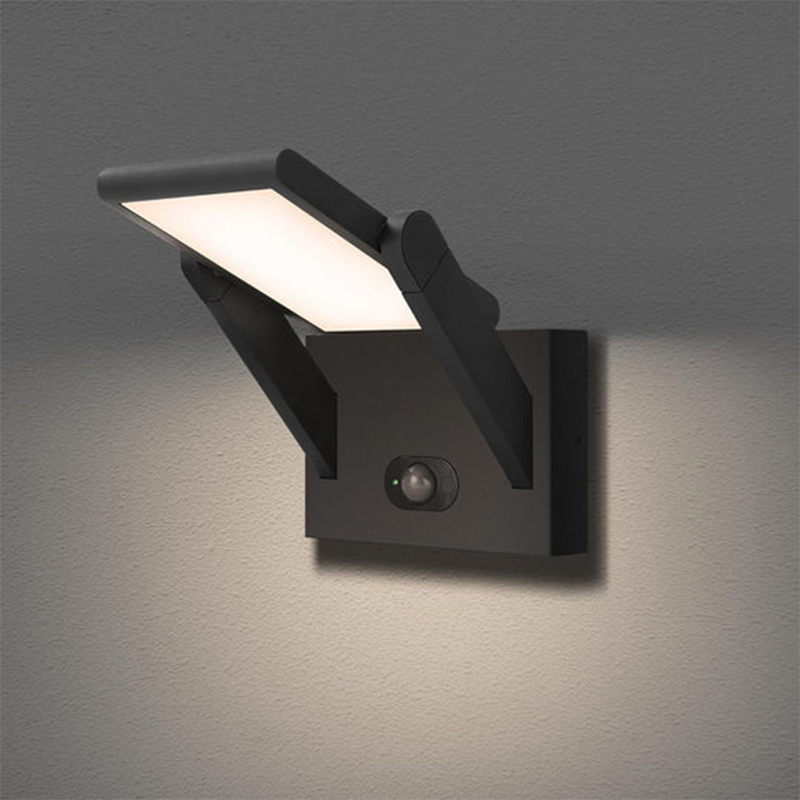
Exterior wall lights with motion detectors are outdoor lighting fixtures with integrated motion detection functionality. They are typically installed on exterior walls, garages, patios, or porches. Using built-in motion sensors (PIR or radar), they automatically detect surrounding activity. When a person or animal enters the sensing range, the lights automatically illuminate. After a period of inactivity, the lights automatically turn off, offering energy savings, safety, and convenience. Exterior wall lights with motion detectors typically utilize high-brightness LEDs with a wide-angle illumination design, ensuring fast response and clear visibility even in dark environments. These lights are typically made of stainless steel or die-cast aluminum, and have an IP65 rating, offering protection against rain, dust, and high temperatures, making them suitable for complex outdoor environments. When used with intelligent lighting control systems, they can achieve an energy-saving mode of "storing energy during the day and operating at night," resulting in lower operating costs than traditional lamps.
The heart of motion-sensing exterior wall lights lies in their sophisticated PIR (passive infrared) sensors. When someone enters their detection range (typically 5-12 meters), the sensor detects the infrared heat radiation emitted by the person within 0.5 seconds, instantly triggering high-intensity LED lighting. This immediate response provides dual protection: providing a safe, illuminated environment for your family, while the sudden burst of bright light effectively deters potential intruders. Studies have shown that homes equipped with motion-sensing lights can reduce nighttime burglary rates by over 40%.
For optimal protection, choosing the right installation location is crucial. Recommended deployment locations include:
Main entrance porch: Install at a height of 2.5 meters to cover the entire front area.
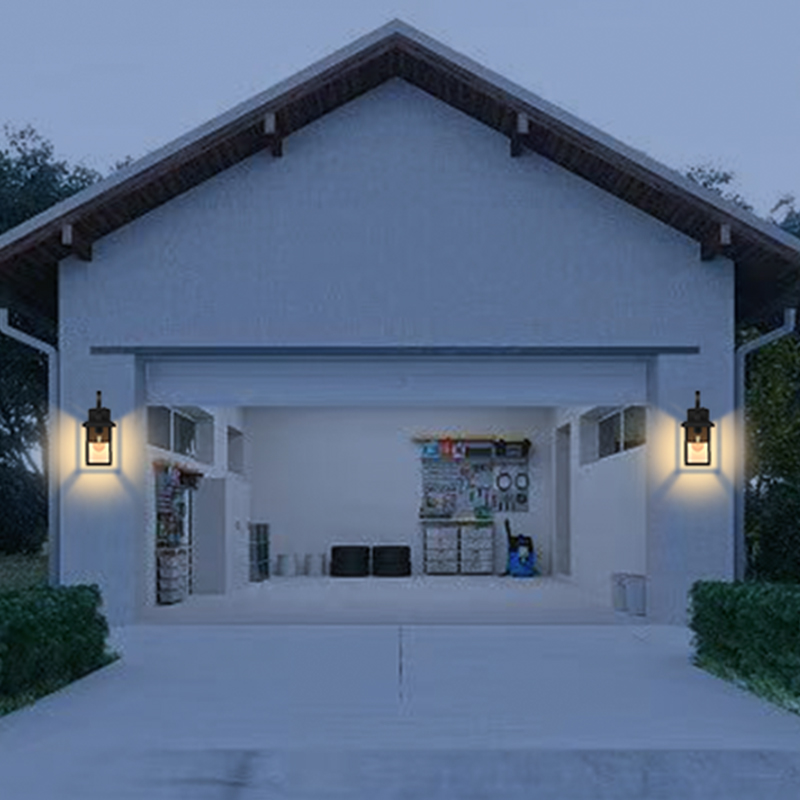
Garage access: Choose a wide-angle model (120° or greater).
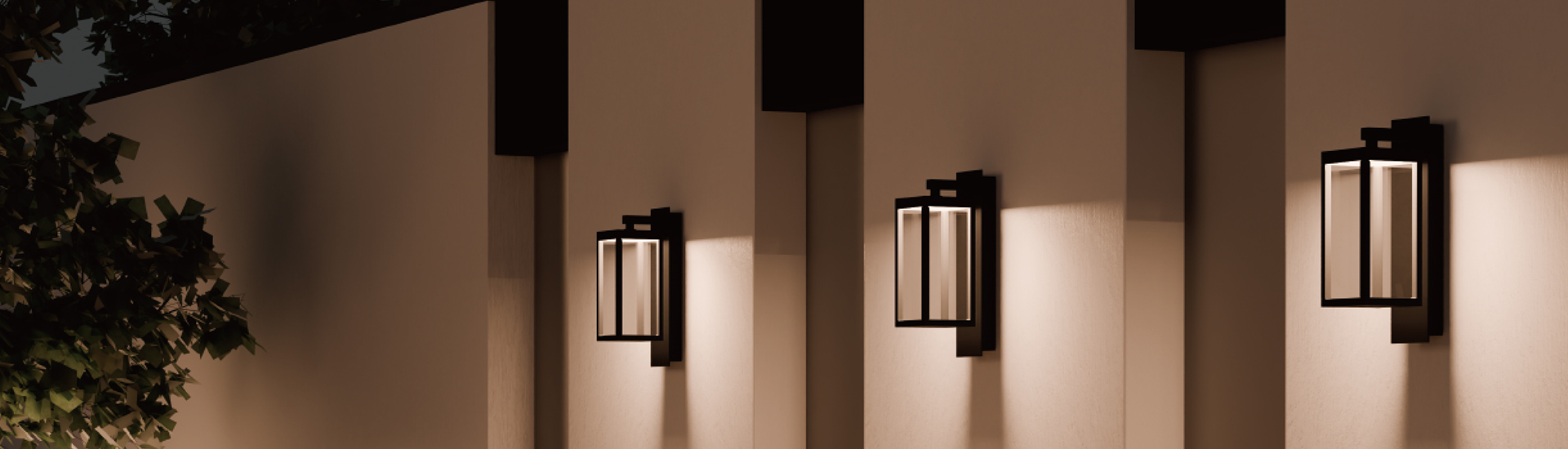
Backyard wall: Install at intervals of 6-8 meters to form a protective chain.
Balconies and low-level windows: Prevent climbing intrusion.
1. Core Functions of Exterior Wall Lights with Motion Detectors
Smart Sensor Lighting
The most notable feature of exterior wall lights with motion detectors is their ability to automatically sense movement in their surroundings and illuminate instantly upon detection. This functionality is primarily achieved through two methods:
Personal Infrared (PIR) sensing: This technology triggers lighting by detecting infrared heat radiation emitted by a person. This technology is mature and cost-effective.
Microwave Radar Sensing: This technology detects movement by utilizing the principle of microwave reflection, offering higher sensitivity and being unaffected by temperature.
When someone passes through the sensing area, the light illuminates instantly and automatically turns off after a set delay (usually 15 seconds to 10 minutes), eliminating the need for manual operation.
Energy Saving
Compared to traditional, constantly on outdoor lights, motion sensor lights only operate when motion is detected and remain off the rest of the time. According to real-world data, this operating mode can save up to 70% or more of electricity, making it particularly suitable for areas requiring long-term lighting, such as hallways, garages, and courtyards.
Security
Automatically activated lights can effectively deter potential intruders. Studies have shown that homes equipped with motion-sensing lighting systems can reduce nighttime burglary rates by over 40%. Some high-end models even integrate with security systems, triggering alarms or activating surveillance cameras when unusual movement is detected.
Weatherproof
High-quality motion-sensor lights offer excellent environmental adaptability:
Waterproof and dustproof ratings typically reach IP65 or higher; operating temperature range extends from -20°C to 50°C; and anti-interference design prevents false triggering.
Sensor Type Comparison
Currently, there are three main types of motion detectors on the market, each with its own advantages and disadvantages:
|
Sensor Type |
Operating Principle |
Advantages |
Disadvantages |
Applicable Scenarios |
|
PIR Infrared Sensor |
Detects infrared thermal radiation |
Low cost, few false alarms |
Ineffective against stationary targets, sensitive to low temperatures |
Home courtyards, corridors |
|
Microwave Radar |
Transmits and receives microwave signals |
High sensitivity, strong penetration |
Higher cost, potential for false alarms |
Garages, commercial spaces |
|
Dual Detection |
PIR + Radar Dual Detection |
Highest accuracy |
Expensive |
High-end security systems |
Detection Performance Parameters
Detection Range: Typically 3-15 meters for home use, over 20 meters for commercial use
Detection Angle: Adjustable from 90° to 270°
Response Time: High-quality products can react within 0.5 seconds
Lighting System Features
Light Source Type: LED is the mainstream, with a lifespan of up to 50,000 hours
Brightness Adjustment: Select models support multiple brightness levels or automatic dimming
Color Temperature: Available from 3000K warm light to 6000K cool light
These smart lights offer more than just nighttime protection:
Night Mode: Provides ample illumination while deterring potential offenders
Daytime Protection: Even during the day, cameras can still record activity
Adverse Weather: IP65-rated waterproof design ensures continuous operation regardless of weather conditions
Five Key Security Applications of Motion Detection Exterior Wall Lights in Commercial Spaces
- Retail Store Perimeter Protection System
Deterring theft
Using 2000 lumens high-brightness LEDs, bursts of bright light can stop thieves.
Linked to HD cameras for automatic capture and evidence preservation.
Optimal installation location: 2.8 meters above the store entrance, with an 8-meter radius.
Extended business hours for security.
Set automatic activation mode from 6:00 PM to 6:00 AM.
Integrated with a voice prompt system for enhanced deterrence.
- Warehouse and Logistics Park Perimeter Protection
Large-area coverage solution
Use radar-sensing luminaires with a detection range of 15-20 meters.
Use a "lighthouse"-style high-position installation (6-8 meters).
Networking design: Activate a single point to illuminate the entire area.
Heavy vehicle area
Specialized earthquake-resistant luminaires, with a seismic rating of 8.
Equipped with a backup power supply to ensure 4 hours of continuous operation after a power outage.
Maintenance recommendations: Perform stress tests quarterly. Test
Smart Security Network for Office Buildings
Tiered Security System
Level 1: Perimeter Wall Area
Level 2: Parking Lot to Building Entrance
Level 3: Emergency Evacuation Route
Smart Building Integration
Linked with access control system to record personnel entry and exit
Integrated with BA system for energy management
- Landscape Security for Hotels and Resorts
Concealed Design
Optimized with antique styling or landscape stone exteriors
270° wide-angle concealed sensors
Color Temperature: 3000K warm light for a comfortable atmosphere
Key Security Areas
Exclusive VIP Room Access
Nighttime Security for Water Activities
Logistics Storage Area
- 24-Hour Security Lighting for Gas Stations
Safety Standards
ATEX Certified
All-metal Antistatic Housing
Oil-Repellent Coating
Functional Optimization Solutions
Dedicated Vehicle Sensor Mode
Emergency Lighting Backup System
Maintenance: Professional Inspections Twice Monthly
2. Installation Considerations for Exterior Wall Lights with Motion Detectors
Pre-Installation Preparations
- Select a Suitable Installation Location
Height Requirements: The recommended installation height is 2.5-3 meters (approximately the height of a first floor) to ensure detection range and prevent false triggering by pets.
Avoiding Interference Sources: Keep the sensor at least 1 meter away from heat sources such as air conditioners and radiators.
Field of View Requirements: Ensure there are no large obstructions (such as trees or decorations) in front of the sensor.
- Check the Installation Environment
Wall Material: Confirm whether the wall can support the weight of the fixture (concrete walls can be installed directly; wooden walls require reinforcement).
Power Supply Location: Plan the wiring path in advance to ensure the power cable can be securely connected.
Waterproofing Considerations: Avoid installation in areas prone to water accumulation and inspect the wall for signs of water seepage.
- Tools and Materials
Required Tools: Electric drill, screwdriver, voltage tester, ladder, etc.
Supplementary Materials: Waterproof tape, expansion screws, conduit, etc.
Safety Equipment: Insulated gloves, goggles
Detailed Installation Steps
- Power off operation
Turn off the power to the corresponding circuit in the distribution box. Use a voltage tester to reconfirm that there is no power to the circuit. Hang a "Work in Progress" warning sign on the distribution box.
- Securing the Mounting Base
Align the base with the intended location. Mark the drill point with a pencil. Select an appropriate drill bit for the wall material (impact drill for concrete). Drill to a depth 5mm greater than the expansion screw. Insert the expansion tube and secure the base with screws.
- Wiring Connections
Wiring Procedure:
Strip approximately 1cm of wire insulation. Connect the live wire (usually brown) to the live wire of the power source, the neutral wire (usually blue), and the ground wire (yellow-green). Ensure a secure connection.
Waterproofing: Use a waterproof junction box. Wrap the wiring with waterproof tape. Ensure all joints are completely sealed.
- Securing the Lamp
Align the base with the slots and turn clockwise to lock. Check that all screws are tight and ensure the lamp is not shaking.
Key Commissioning Points
- Sensor Angle Adjustment
Horizontal Angle: Adjust according to monitoring needs (usually 90°-180°)
Pitch Angle: Tilt downward 10°-15° for optimal detection
Testing Method: Have a person move around in different locations and observe the sensing response
- Parameter Settings
Sensitivity Adjustment:
Set to medium in urban environments, high in suburban environments
Delay Setting:
Recommended 30-60 seconds for corridors, 3-5 minutes for garages
Light Threshold:
Adjust based on ambient light intensity to avoid false triggering during the day
- Functional Testing
Basic Test:
Simulate a person passing through the detection area
Observe the light response time
Check whether the delay shutoff is functioning properly
Extreme Condition Testing:
Waterproof in rainy weather
Low/high temperature operation
How do motion-sensing exterior wall lights improve your convenience?
Hands-free operation, making it easier to get home at night
Automatic lighting: No need to fumble for switches in the dark when you arrive home at night. Lights instantly illuminate your porch, garage, or garden path upon sensing motion.
Hands-free: No need to use your hands to turn on lights when carrying heavy objects, holding children, or picking up packages, reducing the risk of tripping or collisions.
Intelligent lighting, adapting to different scenarios
Adjustable timer: Lights automatically turn off after no activity (adjustable from 15 seconds to 10 minutes), eliminating energy waste caused by forgetting to turn them off.
Multiple brightness settings: Some high-end models offer customizable brightness levels to meet different needs (such as soft garden lighting or high-intensity security lighting).
Enhance the outdoor experience
Garden gatherings: For nighttime events in your garden or patio, lights automatically illuminate with movement, creating a cozy atmosphere. Pet Monitoring: When your pet is out at night, the light automatically turns on, making it easy to monitor their movements.
Enhanced Safety and Reduced Risk of Accidents
Fall and Bump Prevention: Automatic lighting prevents falls caused by poor visibility on stairs, slopes, or uneven surfaces.
Intruder Deterrence: The sudden onset of light can scare off thieves or wild animals, reducing the risk of property damage.
Energy Saving and Lowering Utility Bills
On-Demand Lighting: Compared to traditional, constantly on lights, motion-sensing lights only operate when motion is detected, saving up to 70% of electricity.
Solar Option: Select models support solar power, eliminating wiring restrictions and suitable for areas without power.
3. Solutions to Common Problems with Exterior Wall Lights with Motion Detectors
The lamp is completely inoperative.
Possible Causes and Solutions
Power Supply Issue
Check if the circuit breaker at the distribution box has tripped. Use a voltage tester to test the circuit for power.
Confirm the switch is on.
Wiring Error
Recheck the live, neutral, and ground wires. Ensure all terminals are tight and not loose. Check if the waterproof connector is causing a short circuit.
Lamp Damage
Try replacing the bulb or LED module. Check the circuit board for burn marks. If the lamp is damaged, replace the entire lamp.
Sensor Failure
Troubleshooting and Repair Methods
Sensor is blocked. Clear cobwebs, dust, etc. from the sensor. Remove any obstructing decorations or plants. Clean the sensor window regularly with a soft cloth.
Improper Mounting Position
Adjust to the recommended height (2.5-3 meters). Ensure the sensor faces the monitoring area. Avoid installation in locations with extreme temperature fluctuations.
Sensitivity Setting Issue
Recalibrate the sensor according to the manual. Adjust the sensitivity level according to the environment. Temporarily increasing the sensitivity may be necessary in extreme weather.
Frequent False Triggers
Solution
Environmental Interference
Move away from heat sources such as air conditioner units (protection devices). (Maintain a distance of at least 1 meter)
Avoid installing near vents or chimneys
Adjust the sensor away from areas with swaying branches
Small animal interference
Raise the mounting height to at least 3 meters
Choose a high-end model with pet recognition
Install a shield under the sensor
Sensitivity too high
Lower the sensitivity setting
Change to a dual-sensor (PIR + radar) sensor
Set the activation light threshold (to avoid false triggering during the day)
Light stays on and won't turn off
Troubleshooting steps
Delay setting issue
Check and reset the delay time (usually 15 seconds to 10 minutes)
Restore factory settings and reconfigure
Update firmware (smart models)
Sensor malfunction
Test the sensor for continuous signal output
Check the sensor cable for a short circuit
Replace the sensor module
Insufficient ambient light
Adjust the light threshold
Check if the photoresistor is blocked
This is normal in complete darkness
Shortened detection range
Recovery methods
Insufficient power
Check if the input voltage is stable
For solar models, clean the photovoltaic panel and check the battery
Replace aging power wiring
Aging sensor
PIR sensor Sensor lifespan is typically 5-8 years. Microwave radar sensors have a lifespan of approximately 10 years. Consider replacing the entire lamp.
Environmental factors: Performance may degrade in extreme temperatures. Rain or snow may reduce sensitivity. Wait for improved weather before retesting.
Flickering and unstable light.
Solution: Voltage fluctuations. Install a voltage stabilizer. Check the wiring for loose connections. Avoid sharing circuits with high-power appliances.
Driver power supply failure. Test the output voltage for stability. Replace a damaged power adapter. Choose a high-quality replacement part.
LED light source problem. Check for individual damage to the LED bulbs. Replace the entire LED module. Avoid using incompatible replacement bulbs.
Waterproofing failure.
Solution: Deterioration of the sealing ring. Replace the waterproof silicone ring. Reapply waterproof adhesive to the joints. Choose products rated IP65 or above.
Improper installation. Reinstall, ensuring all components are in place. Install with the cable entry facing downward. Use a waterproof junction box.
Casing damage. Minor cracks can be temporarily repaired with waterproof adhesive. Severe damage requires replacement of the casing. Inspect promptly after a storm.
Intelligent function malfunction. For intelligent devices, Solution for Model
Network Connection Issues
Check WiFi Signal Strength
Reset the Network Module
Ensure Your Router Supports the 2.4GHz Band
App Control Failure
Reinstall the App
Check the Lamp Firmware for the Latest Version
Delete and Repair the Device
Voice Control Failure
Check the Smart Assistant Account Binding Status
Reauthorize Device Access
Confirm the Voice Command Format is Correct
Seasonal Maintenance Recommendations
Spring
Clean the Sensor and Lamp Surface, Inspect for Winter Damage, and Test All Functions
Summer
Ensure Proper Heat Dissipation, Check for Waterproofing, and Clear Any Surrounding Vegetation
Autumn
Prepare for Winter, Inspect Wiring Insulation, and Reinforce Any Loose Components
Winter
Remove Snow, Consider Temporarily Powering Off in Extremely Cold Temperatures, and Check the Battery Level on Battery-Powered Models
Criteria for Judging Professional Repairs
Contact a professional repair technician if:
Several attempts to resolve the issue remain unsuccessful
A Short Circuit or Burnt Marks Found
Major Electronic Components Need to be Replaced
The Lamp is Still Under Warranty
Hazardous Work at Height
Precautions for Using Exterior Wall Lights with Motion Detectors
- Clean the sensor regularly to prevent false alarms or malfunctions.
Problem: Dust, spider webs, rain, or snow can obscure the sensor, causing poor sensitivity or false triggering.
Solution:
Wipe the sensor window monthly with a soft cloth (avoid using chemical cleaners).
Check the area around the light fixture for branches or decorations that could obstruct the detection path.
- Adjust the sensitivity to reduce false triggers.
Common causes of false triggers:
Small animals (cats, dogs) passing by
Plants or hanging objects moved by the wind
Nearby heat sources (air conditioner outdoor units, barbecue grills)
Optimization:
Lower the sensitivity setting (if available). Raise the mounting height to at least 3 meters to reduce pet interference. Choose a dual-detection sensor (PIR + radar) to reduce false alarms.
- Set an appropriate delay time for the off time.
Recommended times:
Porch/hallway: 30 seconds to 1 minute (brief lighting is sufficient).
Garage/backyard
Garage/Backyard: 3-5 minutes (convenient for moving items or parking).
Note:
Setting the timer too long will result in unnecessary power consumption. Setting the timer too short may cause the lights to turn on and off frequently, affecting the user experience.
- Countermeasures in Extreme Weather
Hot Weather:
Avoid direct sunlight from the sensor (may cause false triggering). Check that the lamp is properly dissipating heat (some inexpensive lamps are prone to overheating).
Low Temperature/Rain and Snow:
PIR sensors may lose sensitivity below -10°C, so choose a cold-resistant model. Clear snow promptly on snowy days to prevent blocking the sensor or damaging the lamp.
- Avoiding Light Interference (for Multiple Light Installations)
Problem: Multiple motion sensor lights installed too close together may interfere with each other, causing "chain triggering."
Solution:
Keep the lights at least 3 meters apart. Adjust the detection angle to avoid overlapping coverage areas. Choose a smart model that supports time-sharing triggering (e.g., after light A turns on, light B turns on with a 5-second delay).
- Regularly Check Electrical and Fixed Structures
Electrical Safety:
Inspect wiring annually to prevent aging or short circuits. For solar models, clean the photovoltaic panels and check the battery health (replace every 2-3 years).
Fixed Structures:
Check for loose screws after strong winds. Long-term use may cause bracket rust, requiring replacement with rust-resistant fittings.
- Temporary Adjustments for Special Scenarios
Holiday Decorations:
Christmas lights or balloons may obstruct sensors, requiring temporary adjustments.
Construction/Moving Periods:
Frequent activity may cause lights to remain on continuously; temporarily reduce their sensitivity or disable the sensor function.
Summary: A table provides key considerations
|
Precautions |
Specific Operations |
Frequency |
|
Sensor Cleaning |
Wipe with a soft cloth, avoiding obstructions |
Once a month |
|
Sensitivity Adjustment |
Adjust the setting based on the environment (pets/plants) |
After Installation + Seasonal Changes |
|
Delay Setting |
Set to 30 seconds for the porch and 3 minutes for the garage |
Adjust as needed |
|
Extreme Weather Protection |
Avoid sunlight in high temperatures; choose a cold-resistant model for low temperatures; remove snow in snowy conditions |
Real-Time Monitoring |
|
Multiple Lights for Interference Prevention |
Avoid at least 3 meters of distance, stagger detection angles |
Plan installation carefully |
|
Electrical and Structural Inspection |
Check wiring, clean solar panels, and tighten screws |
1-2 times a year |
4. Tips for Choosing Exterior Wall Lights with Motion Detectors
Outdoor lighting is an essential component of home security and convenience. Motion-sensor wall lights, with their intelligent sensing, energy-saving features, and security features, have become a popular choice for modern homes. However, with so many options on the market, how can you choose the right model for your needs?
- Pay attention to detection range and angle.
Detection distance: Home use typically ranges from 3 to 12 meters, while commercial models can reach over 20 meters.
Detection angle: Adjustable from 90° to 180°, with a wide angle suitable for large-area monitoring.
Mounting height: Recommended: 2.5 to 3 meters to avoid false triggering by pets.
Testing method: Check the product's actual test data before purchasing, or choose a model with adjustable sensitivity.
- Choose the right light source and brightness.
LED light source: The mainstream choice, with a long lifespan (over 50,000 hours) and energy-saving features.
Brightness (lumens):
500 to 1000 lumens: Suitable for porches and hallways.
1000 to 2000 lumens: Suitable for garages and backyard security lighting.
Color temperature:
3000K warm light: Creates a warm atmosphere, suitable for residential areas.
4000K to 6000K cool white light: More eye-catching, suitable for security applications.
- Waterproof and Dustproof Rating (IP Rating)
Outdoor lighting must be waterproof and dustproof. IP65 is the minimum requirement (dustproof and water jet-proof), while IP66 (strong water jet-proof) or higher is recommended for humid areas.
Note:
Check that the junction box is sealed.
Avoid installing in locations prone to water accumulation.
- Smart Features: Is remote control required?
Basic Model: Only supports automatic sensing and delayed shutoff.
Smart Model (Recommended):
Mobile app control: Adjust sensitivity and timer on/off.
Voice Linkage: Compatible with Tmall Genie, Google Home, etc.
Security Linkage: Trigger camera recording or alarm.
Suitable for: Technology enthusiasts or users who require remote management.
- Power supply: wired or solar?
|
Power Supply |
Advantages |
Disadvantages |
Suitable Scenarios |
|
Wired Power |
Stable, High Brightness |
Requires Wiring, Complex Installation |
Areas with Existing Power Outlets |
|
Solar Power |
Wireless Installation, Environmentally Friendly |
May Have Short Battery Life on Rainy Days |
Courtyards and Gardens Without Power |
Buying Tips:
If you already have a power source, consider a wired model (which is more stable).
For remote areas, consider a solar-powered model with battery backup.
Summary: Shopping Cheat Sheet
|
Requirements |
Recommended Configuration |
|
Daily Home Lighting |
PIR Sensor + 500-1000 Lumens + IP65 |
|
Security Monitoring |
Radar/Dual Sensor + 1000-2000 Lumens + Smart Linkage |
|
No Power Supply |
Solar Power + Large-Capacity Battery |
|
Households with Multiple Pets |
Dual Sensor + Adjustable Sensitivity |
5. Motion Sensor Exterior Wall Light Maintenance and Care Guide
Daily cleaning and inspection
Every month, you should use a soft and dry cloth towel to wipe the surface of the lamp and the sensor window to avoid dust and spider webs affecting the sensing sensitivity. Pay special attention to cleaning the blockages around the sensor, such as branches, decorations, etc. At the same time, check the lamp body for cracks or water seepage marks to ensure that the waterproof performance is intact.
Seasonal in-depth maintenance
More comprehensive maintenance is required when the seasons alternate. In spring, focus should be on checking for structural damage that may be caused in winter; in summer, it is necessary to ensure that the heat dissipation holes are unobstructed to avoid high temperatures affecting the life of electronic components; in autumn, prepare for the upcoming cold weather and check the insulation of the line; in winter, snow should be removed in time to prevent the sensor from being frozen.
Electrical system maintenance
Check the power supply line thoroughly at least once a year to see if the terminals are oxidized and loose, and whether the outer skin of the power cord is aging and cracked. For solar powered models, the surface of the photovoltaic panels needs to be cleaned regularly and the storage battery needs to be replaced every 2-3 years to maintain optimal performance.
Functional testing and calibration
Complete performance tests should be conducted every quarter: simulate movements at different distances and angles, verify the detection range and response speed; check whether the delay shutdown function is accurate; and test whether the lighting threshold adjustment is sensitive. If the sensing distance is shortened or the response delay is found, the sensor needs to be calibrated or replaced in time.
Mechanical structure maintenance
Check whether all fixtures are corroded and loose, especially after experiencing severe weather such as typhoons. Metal parts can be applied with anti-rust agents, and plastic parts can avoid using corrosive cleaners. For mounts with adjustable angles, the rotating parts should be lubricated regularly.
Smart function upgrade
Smart lighting with networking functions should keep the firmware version updated and system vulnerabilities should be fixed in a timely manner. At the same time, check whether the functions such as APP control, voice linkage, etc. are normal, and re-pair the device if necessary.
Special circumstances handling
After extreme weather (such as blizzards, sandstorms), the status of the lamps should be checked immediately. If you find that the continuous error trigger or the sensing failure is found, you can try to restore the factory settings. For complex failures, it is recommended to contact professional maintenance personnel to avoid damage caused by disassembly by yourself.
Motion Sensor Exterior Wall Light Maintenance and Service Schedule
|
Maintenance project |
Specific operations |
Maintenance cycle |
Things to note |
|
Appearance clean |
Wipe the lampshade and sensor window with a soft cloth to remove dust, spider webs and other debris |
1 time a month |
Avoid chemical cleaners to prevent damage to the sensor surface |
|
Waterproof inspection |
Check the sealing of the lamp body to confirm that there is no trace of water seepage; check whether the waterproof rubber ring is aging |
Once a quarter |
If the rubber ring is hardened or cracked, it should be replaced in time |
|
Sensor sensitivity test |
Simulate human body movement, test detection distance and response time; adjust sensitivity gear |
Once a quarter |
Additional tests are required after extreme weather (such as heavy rain, heavy snow) |
|
Fixture inspection |
Check whether the screws and brackets are loose or rusted, and tighten or replace them if necessary |
Once every six months |
Check immediately after typhoons, earthquakes and other natural disasters |
|
Line inspection |
Check whether the power cord is aging or damaged; whether the wiring terminals are oxidized and loose |
Once a year |
It is recommended that professional electricians operate to ensure maintenance after power outage |
|
Solar panel cleaning |
Remove dust, leaves and other obstructions from the surface of photovoltaic panels (solar models only) |
Once every 2 months |
Clean with a soft brush and water to avoid scratches from hard objects |
|
Battery maintenance |
Check the power and health of solar battery (solar models only) |
Once a year |
If the power storage capacity drops by more than 30%, it is recommended to replace the new battery |
|
Functional calibration |
Restore factory settings and recalibrate the sensing range, delay time and other parameters |
Once a year |
Avoid strong light or high temperature interference during calibration |
|
Smart function upgrade |
Update firmware version, test APP/voice control function (smart models only) |
Once every six months |
Download firmware through official channels to avoid system vulnerabilities |
|
Extreme weather protection |
Clear snow on a blizzard; clean sensors after sandstorms; check heat dissipation in high temperature weather |
Real-time processing |
Power off temporarily when not in use for a long time and cover it with a protective cover |
Maintenance Tips
Seasonal Focus:
Spring: Check for possible structural damage caused by winter.
Summer: Ensure proper heat dissipation to prevent overheating.
Autumn: Clear fallen leaves and check waterproofing.
Winter: Prevent snow accumulation. Choose a cold-resistant model for low-temperature areas.
Fault Warning Signs:
Frequent false triggering → Check sensor obstruction or sensitivity setting.
Dim light → Possibly due to aging of the power supply or LED.
Delayed response → Sensor cleaning or calibration required.
Professional Maintenance Recommendations:
Circuit repairs must be performed by a licensed electrician. For warranty issues, contact customer service first.
6. User Guide for Exterior Wall Lights with Motion Detectors
Product Components
Lamp body (including LED light source)
PIR motion sensor module
Mounting bracket and accessories
Power adapter (if applicable)
User manual and warranty card
Technical Specifications
Power Input: AC 220V/50Hz (or DC 12V
LED Power: 10W-30W
Luminous Flux: 800-2000 lumens
Color Temperature: 3000K (Warm White) / 4000K (Natural White) / 6500K (Cool White)
Sensing Angle: Horizontal 120°, Vertical 90°
Sensing Distance: 5-12 meters (Adjustable)
Delay Time: 15 seconds - 10 minutes (Adjustable)
Ingress Protection: IP65
Operating Temperature: -20°C - 50°C
Basic Settings
Sensitivity Adjustment:
Turn the "SENS" knob (L for Low/M for Medium/H for High).
Recommended setting: M for residential areas, H for commercial areas.
Delay Time Adjustment:
Turn the "TIME" knob (15 seconds - 10 minutes).
Recommended setting: 30 seconds - 1 minute for porches, 3-5 minutes for garages.
Light Threshold Adjustment:
Turn the "LUX" knob (Daytime Deactivation Level).
Troubleshooting
|
Problem Symptom |
Possible Cause |
Solution |
|
Light not on |
Power failure |
Check circuit breaker and power cord |
|
Insensitive sensor |
Dirty sensor |
Clean sensor window |
|
Frequent false triggering |
Sensitivity too high |
Lower sensitivity |
|
Light flickers |
Unstable voltage |
Install a voltage regulator |
|
Waterproofing failure |
Deteriorated seal |
Replace seal |
Safety Warnings
Installation and maintenance must be performed with the power off.
Do not disassemble the sensor module yourself.
Temporarily turn off the power during thunderstorms.
Immediately disconnect the power cord if smoke or other abnormalities are detected.
Environmentally Friendly Disposal
When disposing of this product, please follow local regulations:
Electronic components: Recyclable recycling points
Metal components: Metal recycling
Packaging materials: Recyclable waste
Mounting Location Selection Guide for Exterior Wall Lights with Motion Detectors
- Core Installation Principles
Height Selection: The recommended installation height is between 2.5 and 3 meters. This ensures adequate detection range while preventing false triggering by pets or low obstacles. Installing too high will reduce the floor lighting effect, while installing too low can easily interfere with daily activities.
Environmental Considerations: When selecting an installation location, avoid heat sources such as air conditioner units and radiators, maintaining a distance of at least 1 meter. Also, avoid areas with direct sunlight, such as nearby streetlights or advertising light boxes, as these can affect the sensor's operation.
Coverage Planning: Before installation, plan areas requiring critical protection, such as porches, garage entrances, and low-level windows, to ensure the luminaire's detection range fully covers these critical locations, leaving no blind spots.
- Residential Installation Recommendations
The entry porch is one of the most important installation locations. The luminaire should be installed approximately 2.8 meters above the door frame, tilted slightly downward by 10-15 degrees, ensuring coverage of the entire front area, including steps and walkways. This location provides convenient illumination upon arrival and also provides security.
Garages and Parking Areas: It is recommended to install the luminaire approximately 3 meters above the garage door, with a detection range that covers the entire parking area and the path leading to the house. Be careful to adjust the angle to avoid interference from direct vehicle headlights.
Backyards and Gardens: Install luminaires every 6-8 meters along the perimeter of the fence to form a continuous chain of protection. Maintaining a height of approximately 2.5 meters and tilting the luminaire slightly downward ensures coverage of the perimeter while also providing illumination for garden paths.
Balconies and Low-Level Windows: These are potential intrusion points. Luminaires should be installed approximately 2 meters above the side of the window frame to ensure detection of suspicious activity near the window. Choose a smaller design to minimize impact on the building's appearance.
- Commercial Installation Key Points
For shop front entrances, choose a high-brightness model (over 1500 lumens) and install it at a height of approximately 3.5 meters to ensure coverage of the entire entrance area and part of the sidewalk. This location should provide sufficient illumination to deter criminals while avoiding light pollution for passersby.
For warehouses and factory areas, it is recommended to install the system at a high position (4-6 meters) and use a radar sensor with wide-angle detection to ensure coverage of a large area. Consider the clearance height of trucks during installation to avoid collisions.
For parking lots and passageways, install the system at a height of 3-4 meters to ensure coverage of the entire parking area and main passageways. Consider linking it with a surveillance camera to automatically initiate recording when unusual movement is detected.
- Installation Angle Adjustment Tips
Horizontal Angle Adjustment: Set the horizontal detection angle between 90-120 degrees based on the desired coverage area. A larger angle may increase false alarms, while a smaller angle may create blind spots.
Pitch Angle Control: The optimal angle is a slight downward tilt of 10-15 degrees. This ensures complete ground coverage while reducing false triggering caused by birds in the sky. In special circumstances, such as when long-distance monitoring is required, a flat angle can be used.
Multi-Lighting Collaborative Layout: When installing multiple lights, their detection directions should be staggered to avoid mutual interference. It is recommended to maintain a spacing of at least 3 meters, and adjust the coverage of each light based on the actual terrain.
- Common Installation Mistakes and Corrections
Heat Source Interference: Many users install lights near air conditioner outdoor units, which can cause frequent false alarms. The correct approach is to maintain a distance of at least 1 meter or choose a dual-detection sensor with stronger interference resistance.
Obstruction: When installing under eaves or awnings, ensure sufficient space to avoid obstructing the sensor's detection range. If necessary, add an extension bracket to allow the sensor to protrude above the obstruction.
Inappropriate Height: If the installation height is less than 2 meters, it is easily triggered by passers-by or pets. If it is higher than 4 meters, the ground lighting effect will be reduced. A golden height of 2.5-3 meters is ideal.
Light pollution control: When adjusting the angle of the lamp, be careful to avoid direct light into neighboring windows or public areas, which can cause light pollution. Choose a model with a sunshade or adjust the direction of illumination.
